

This content first appeared in our newsletter in early 2025. Here I’ll share another high power (free) backlink that we’ve been using to boost our local SEO customer sites. This is a technique we recommend in all our SEO audits.
For many of the customers we applied this technique to, they saw significant gains in Google Maps rankings but also decent boost in regular organic search too.
******
For a couple of years now Apple has been slowly building out its Apple Maps product and pages for businesses in Apple Maps are now indexable by Google and carry a lot of weight.
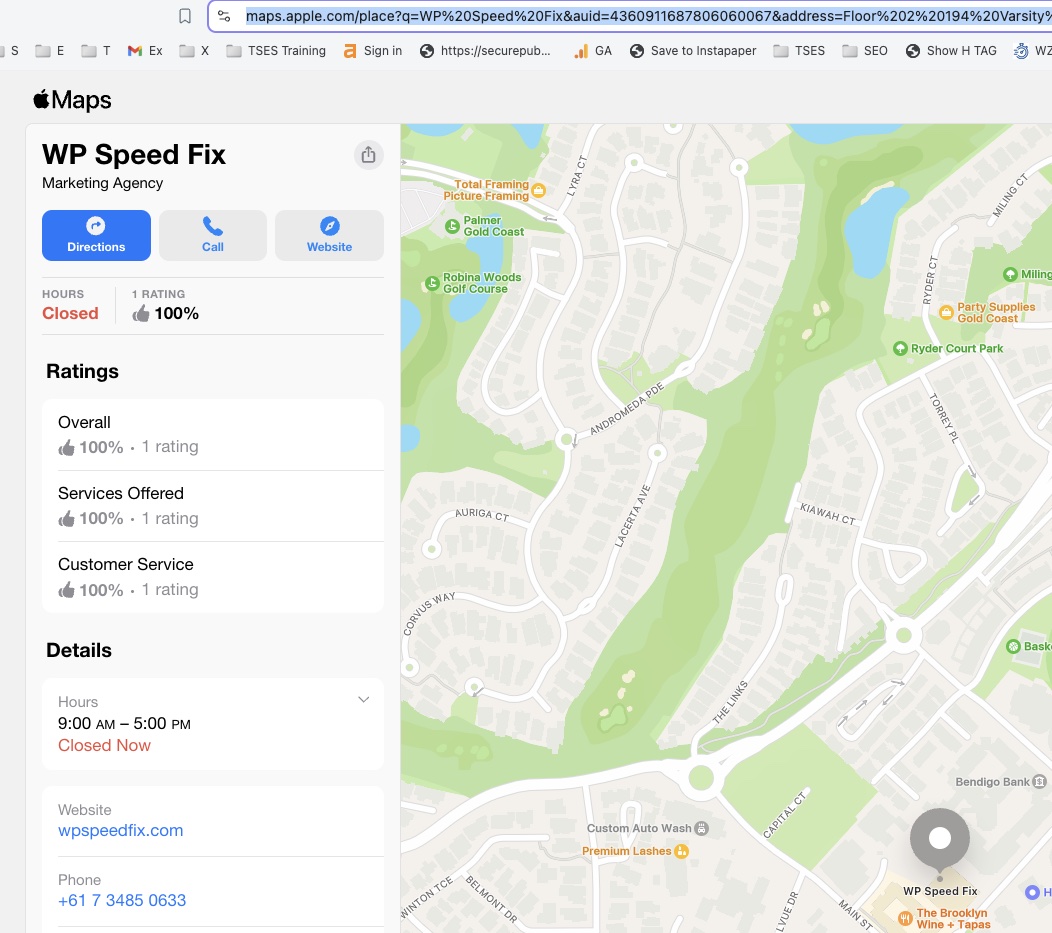
Click here to see the Apple Maps page for WPSpeedFix, you might need to copy/paste this into your browser bar if you’re using an Apple device as it usually opens these links in the maps app directly:
These pages typically don’t get indexed by default and need a bit of a push before Google will crawl them (and therefore count as backlinks).
Here’s the process we use to get these listings live and indexed:
- Go and claim the listing on Apple Maps at https://businessconnect.apple.com/ and make sure the details are correct. It sounds obvious but it’s not very often that we see customers that have a clean Apple Maps setup.
- Once the listing is live and verified, you should be able to generate a link to the listing by clicking the share button in the Apple Maps app.
That share link should show up in web browser the same as the WPSpeedFix maps listing above.
UPDATE – October 2025
Apple is now adding canonical tags to Apple Maps links. That means there is a specific designated URL for each maps page.
When you link to the listing, in order to make this technique work you must use the canonical link otherwise the page will very likely not be indexed.
To find this link, either right click on the page->View Source->and do a search for “canonical” and use the link found there.
Alternatively, if you’re using a browser SEO plugin like Detailed SEO Extension for Google Chrome
See the image below for how to do this. - Link to the Apple Maps listing in the footer of your site using the canonical link in the previous step. On our site you’ll see in our footer a “WPSpeedFix on Apple Maps” link.
- Once the footer link is live, typically we see the Apple Maps page indexed in 3-6 weeks and shortly afterwards see the rank boost.

Right click on the GIF above and open in a new tab to see a zoomed in version
You can use this technique even if you’re not a physical or local business.
So long as you have a physical address you can setup maps listings on Google, Bing and Apple. Google has become more strict about this over the years but for most clients, so long as they can receive postal mail at the address on the listing then it can be verified.
Google, Apple and Bing Maps all carry a ton of weight in terms of backlinks for SEO so if you don’t have a set of maps listings for your business right now, it’s definitely worth spending the time getting them setup.
NOTE!!!
These maps links on Apple’s website DO NOT have canonical tags. That means whatever link you use to link to the maps listing will be what gets indexed. This means that when you add the link to your site me mindful that it is a correct and clean link of you may inadvertently get the wrong link indexed.