
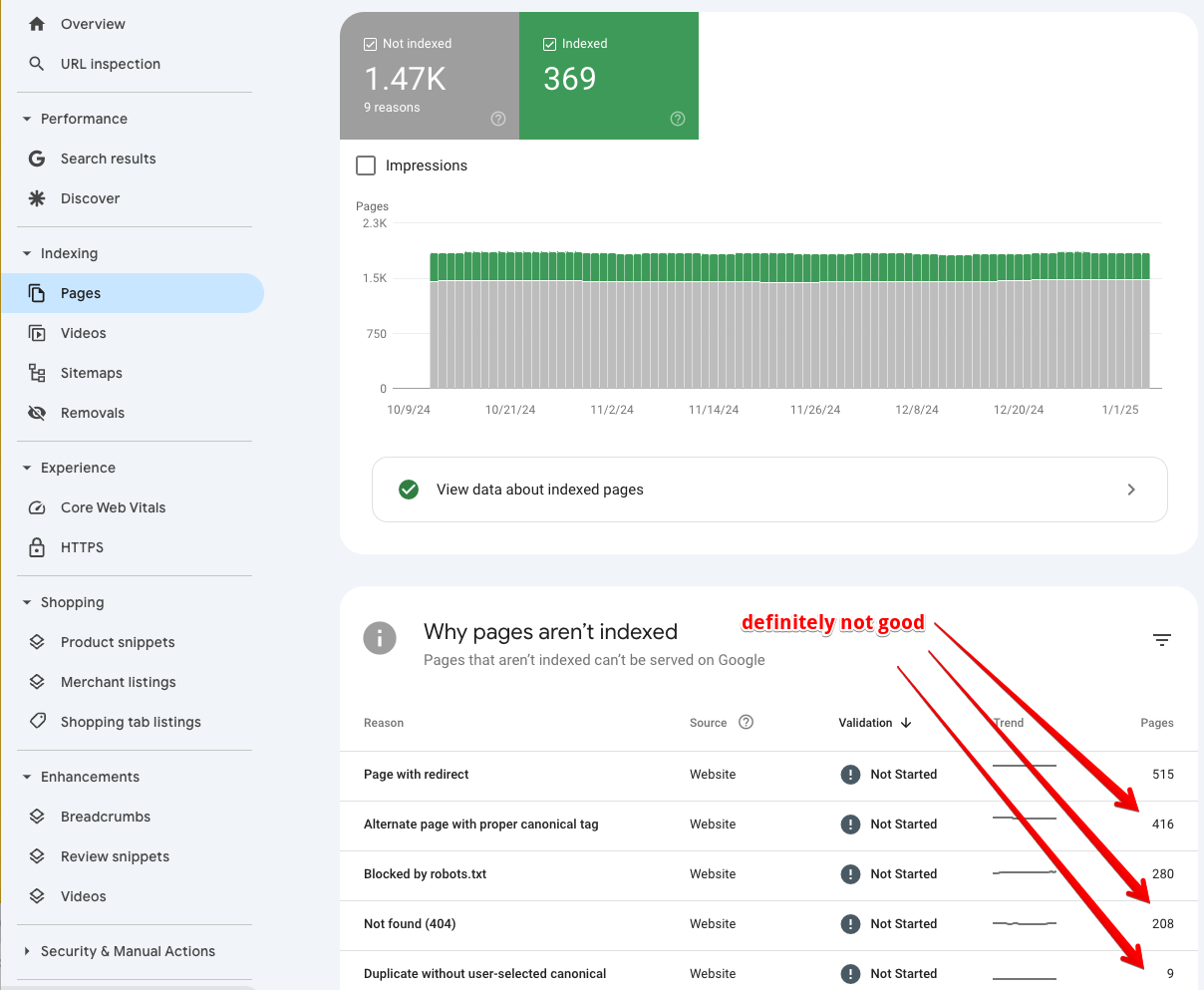
Since mid 2024 we have been getting an increasing number of customers with issues in Google Search Console. With the rise of AI, Google appears to be crawling sites much more aggressively, and as a result more errors are showing up in Search Console. The pattern typically looks like this: a lot of pages crawled, but not many indexed.
Why Search Console is worth an hour of your time
Google Search Console (GSC) is an extremely powerful tool and can uncover simple issues that are potentially having a huge impact on your rankings. It is well worth spending an hour or two poking around in there. You can access it at google.com/webmasters/tools.
We have started publishing videos to our YouTube channel covering the common errors we see in GSC and what to do about them.
Canonical issues are the ones to fix first
Some of the most impactful and problematic errors relate to canonicals. This is where the same page is accessible via multiple URLs, which creates a duplicate content issue and essentially confuses Google. In many of these cases the content will perform poorly until the issue is fixed, and if there are enough of these errors the entire site can perform poorly.
Any time you send conflicting signals to Google it is bad for SEO, and canonical issues are one of the most problematic things for Google to deal with.
Here are two videos on canonical problems. Fixing issues in these two areas of Google Search Console can have a huge positive impact on your rankings:
If you want us to do it for you
We offer a Google Search Console audit service that reviews both your Google Search Console and Bing Webmaster Tools and gives you an action plan to fix what we find. It is essentially an SEO audit based on the data in Search Console: a deep dive to identify technical SEO issues, crawl errors, broken links, canonical problems and indexation issues, with a detailed action plan to fix them.
The service also includes three months of access to our Vital Signs Tracker site speed tracking tool and our SimpleUptime uptime monitoring tool. The audit is in the same style as our full SEO audit and site speed audit; you can see example screenshots here and here.
Whether you do it yourself or get us to, the point is the same: open Search Console, look at the pages that are crawled but not indexed, and chase down the canonical errors first. It is some of the highest leverage SEO work you can do.
This article was first sent to the WP Speed Fix email list. If you would like tips like this in your inbox, you can subscribe here.
Read the full transcript of this video on How To Fix "Alternate page with proper canonical tag" in Google Search Console.
Read the full transcript of this video on How To Fix The "Duplicate without user selected canonical" Error in Google Search Console.