
Google has started quietly testing a program that pays website owners when their content gets used in AI answers. It runs entirely inside Google Search Console, and it changes the calculation for anyone who has been blocking AI crawlers. The same month, a bunch of sites went on a ranking rollercoaster that reversed itself without anyone touching their sites. Both are worth understanding before you change anything.
Table of Contents
Google is testing paying websites for AI answers
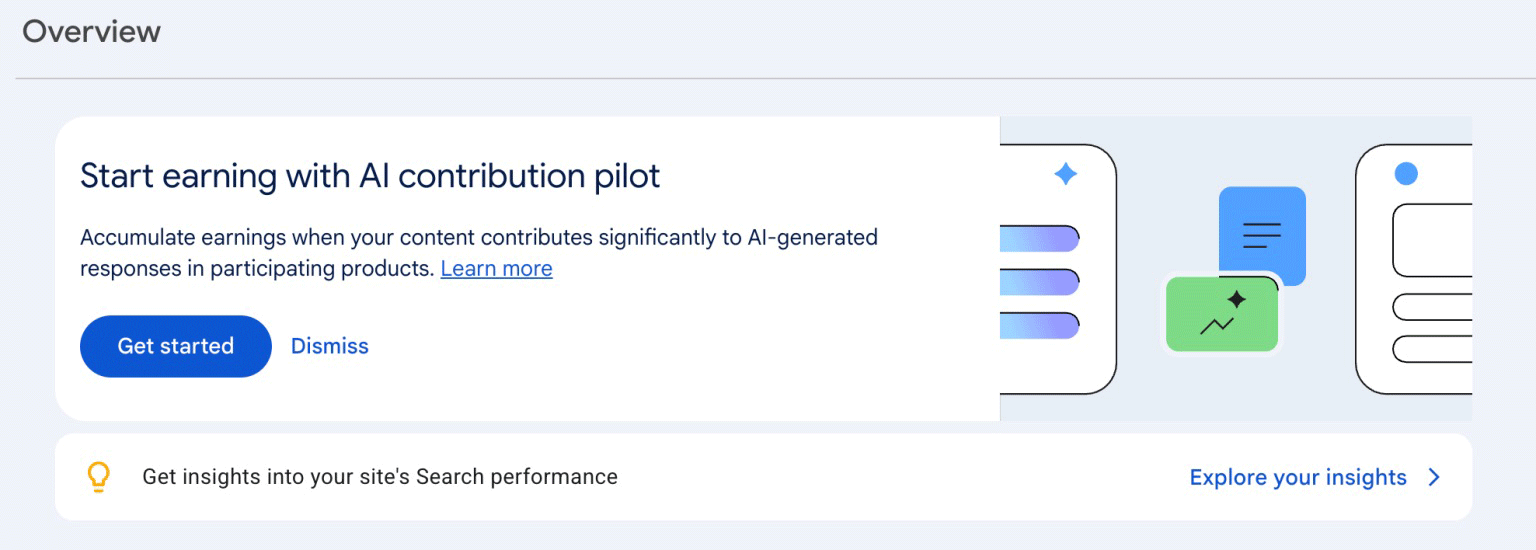
Google has started quietly testing something called the “AI contribution pilot”, a program that pays publishers when their content contributes significantly to the AI-generated answers in AI Overviews, AI Mode and the Gemini app.
The whole thing runs through Google Search Console. Invited sites accept the terms, add payment details and track their earnings inside Search Console settings, the same place you check your search stats now.
It’s a small invite-only pilot at this stage and early reports suggest the money is modest. The fine print matters too: your content only earns when it shapes the answer while it’s being generated. If the AI just links to you afterwards, or uses your page to double check a fact, that doesn’t count. Search Engine Roundtable has more detail.
Google’s John Mueller also admitted that Search Console’s AI reporting is rough. Every link in an AI Overview gets recorded at the position of the whole AI box, and links hidden behind “show more” aren’t counted until someone expands them. So treat the numbers in the generative AI report as directional, not gospel. Search Engine Journal covers the admission here.
What this means for you
Don’t block Google’s AI crawlers
Some sites started blocking AI bots over the last year and for some that was a fair call. The trade-off has changed though. Being excluded from AI answers now also means being excluded from whatever payment program grows out of this pilot. It’s worth checking your robots.txt file to make sure you’re not inadvertently blocking AI crawlers.
Get your Search Console house in order
Google Search Console now lets you add your social media accounts to your property so you can see how those properties perform in search. This is well worth doing.
More importantly, this paid pilot runs entirely inside Search Console, which tells you where Google wants site owners living. If your Search Console is still owned by an old developer’s account, or you’ve never verified it properly, get it fixed as soon as you can.
You can access Google Search Console at google.com/webmasters/tools. Ideally you should set up a domain level property so you’re tracking as much data as possible. Even if you don’t use the data right now, it could be useful in the future.
The September ranking rollercoaster
There was an unconfirmed Google update around September 3rd and 4th 2026 that hit some sites hard with real traffic drops in both Search and Discover, showing up in the sites’ own analytics, not just third party tools.
Weirdly, around September 13th a bunch of those same sites got everything back. The drop completely reversed with no changes made on their end. The charts in this Search Engine Roundtable writeup are worth a look.
Check your September data in two halves
Open Search Console and compare September 1 to 12 against September 13 onwards. If you saw a dip early in the month, there’s a decent chance it’s already recovered on its own.
Don’t make panic changes off a two week dip
The sites that recovered did nothing. If you’d rebuilt half your site mid-wobble, you’d never know whether the recovery was you or Google. Diagnose first, change second. If a drop hasn’t recovered after a few weeks, that’s when it’s worth digging in properly.
Other bits and pieces
Google Business Profile posts now show view counts. If you gave up on GBP posts because you couldn’t tell whether anyone saw them, you can now. Worth posting again, especially offers and updates. More here.
If you run Local Services Ads, the migration into Performance Max is underway in the US and rolling out in phases. Export your lead history and screenshot your settings before your account moves, because some reporting doesn’t survive the trip. Audit checklist here.
The short version: don’t lock Google’s AI out of your site, make sure you own and have verified your Search Console property, and give a ranking dip a few weeks before you start pulling things apart. If you’re stuck with site speed or need help with SEO, get in touch with some background on the problem and we’ll send over some recommendations.
This article was first sent to the WP Speed Fix email list. Subscribe here to get the next one in your inbox.