
Here’s a problem almost every specialist business has. Your services pages need to be readable, so they can’t be stuffed with every brand, model, material, spec and standard you work with. That technical detail is exactly what people now type into ChatGPT and Google when they’re looking for someone who can do a specific job.
Reviews prove people like you. A recent work page proves you’ve done the exact job someone is searching for. It’s one of the most underused pages on small business websites, it’s the easiest way we know to get long tail keywords onto a site, and it’s perfect for AI search.
Table of Contents
Why services pages can’t carry long tail keywords
Long tail keywords are the longer, more specific searches people make when they know exactly what they need. “Plumber” is a short keyword. “Rinnai Infinity hot water system repair in south west Sydney” is a long tail keyword. Each long tail search gets far fewer searches than the short version, but together they make up most of what people search for, and the people making them are usually ready to hire.
The trouble is where to put them. A hot water service page that lists every brand, model, fault code and suburb you’ve ever worked on stops reading like a page for humans. Business owners either leave the detail out, or cram it in and end up with a page nobody wants to read.
AI search makes this more important, not less. People now ask ChatGPT, Copilot and Google’s AI Mode full questions with all the specifics included, and the AI goes looking for a page that matches those specifics. We covered this in more detail in how to rank in ChatGPT and AI search.
The fix: one page per job
One of the first sites we solved this on, 15 or so years ago, was APMS, a specialist welding and fabrication business in Western Australia. Their work is extremely technical: pressure vessels, exotic alloys, work to strict engineering standards. Trying to get that language into the services pages made them unreadable. APMS is no longer a client and their site has since been rebuilt, but the principle still stands.
The fix was a recent work section, with a page for each project. Every project page has:
- The client, location and type of job
- A short description of the problem and how they solved it
- Bullet points of the work done, with the technical specs, materials and the standards the work had to meet
- High quality photos of the job
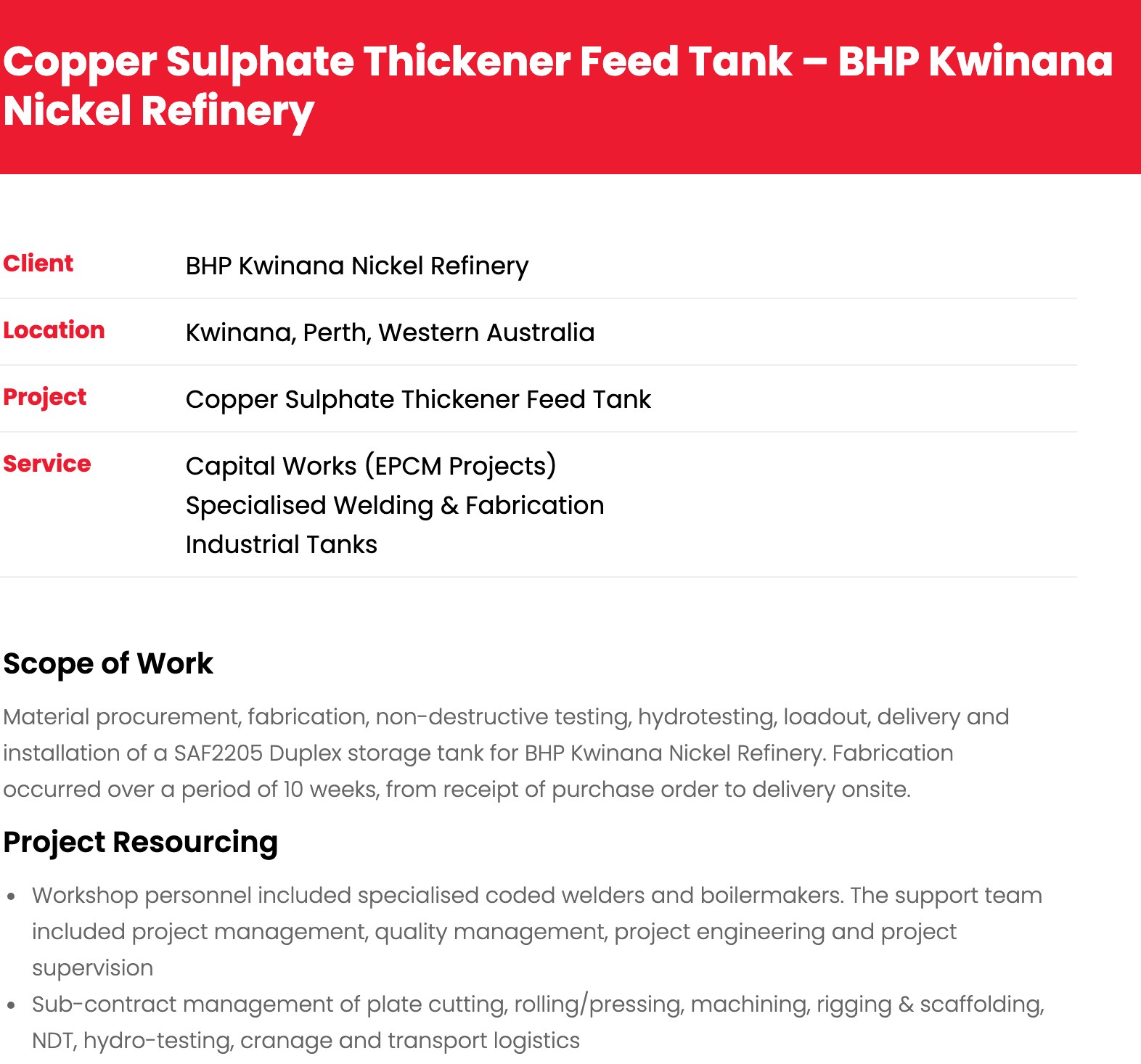
One APMS project page. See the full page here.
Look at the language on that one page: SAF2205 duplex stainless, API 650, GTAW and FCAW welding to ASME and Australian standards, a 250 tonne hydrotest, a 10 week turnaround including night shifts to hit a shutdown window. None of that would ever fit naturally on a services page. On a project page, it’s just describing the job.
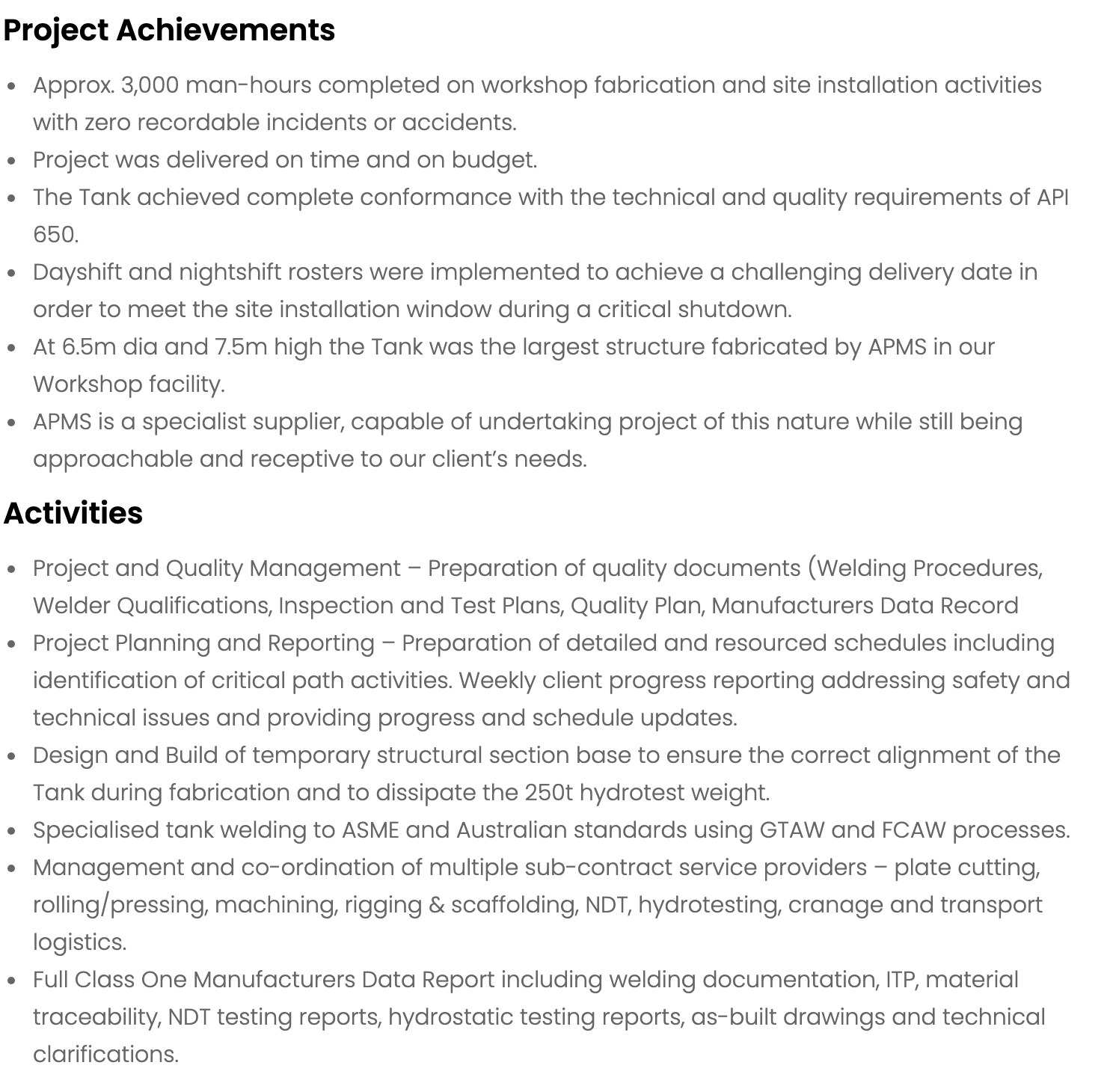
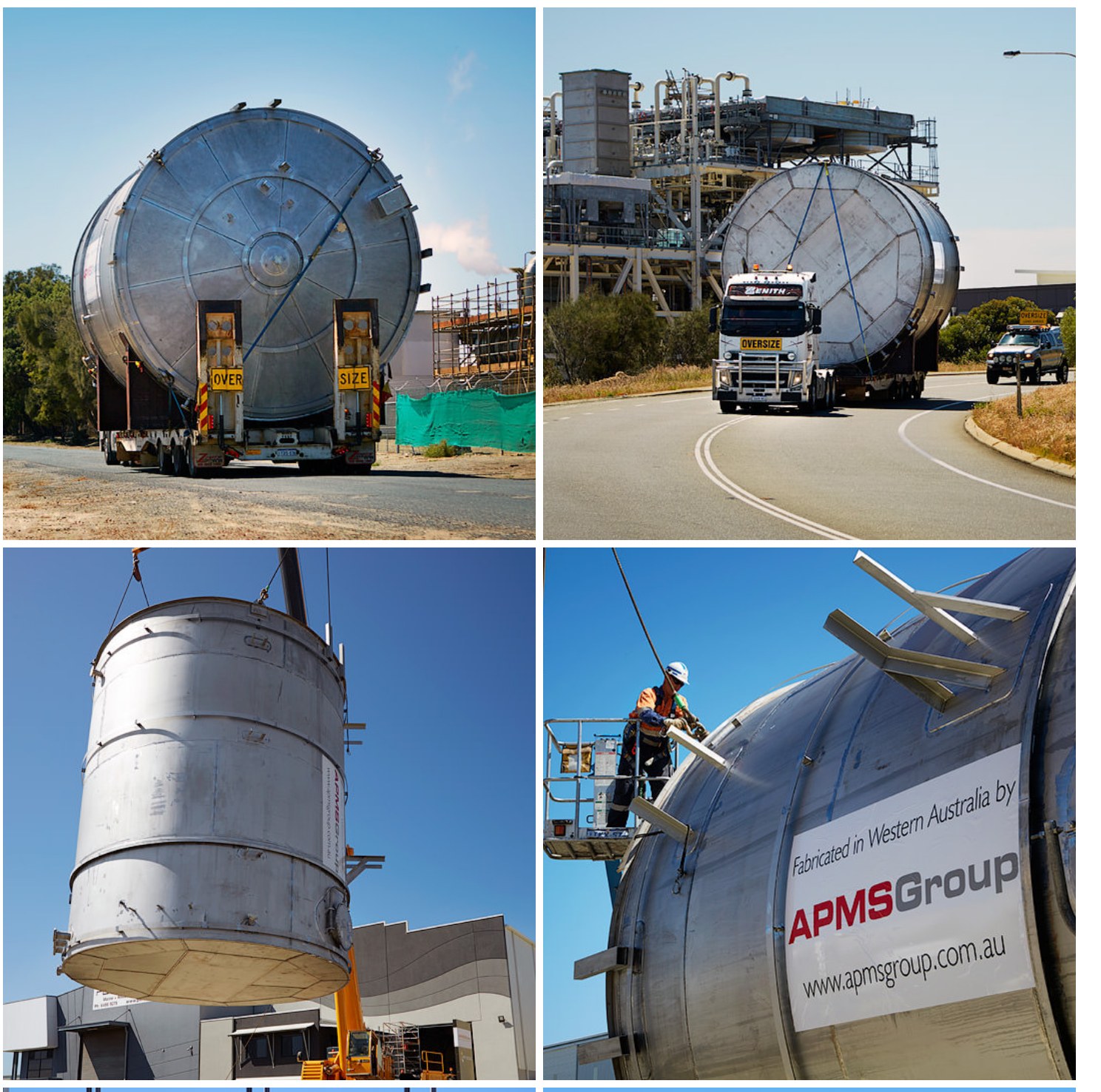
Now think about the search. An engineer asks AI to “find a fabricator in Perth who can build a duplex stainless tank to API 650”. That page answers the question almost word for word, with photos and the name of a major client as proof. That’s the kind of page AI cites, because it’s specific, it’s real and it’s hard to fake.
Long tail keyword examples a recent work page can rank for
Every job you write up quietly adds a handful of long tail keywords to your site. A few examples of the kind of searches a single job page can answer:
- Fabrication: “duplex stainless steel tank fabricator Perth”, “API 650 tank fabrication Western Australia”, “titanium welding specialist”
- Plumbing: “Rinnai Infinity hot water repair south west Sydney”, “Rheem heat pump installation Campbelltown”, “burst copper pipe under slab repair”
- Building: “two storey rear extension Fremantle”, “heritage sandstone repointing”, “Colorbond roof replacement on a 1960s home”
- Web or software: “WooCommerce checkout speed fix”, “migrating a 10,000 product store to Shopify”
None of these belong on a services page, and you’d never write a blog post for each one. On a recent work page they appear naturally, because they’re simply what the job was.
What to put on a recent work page (layout)
You don’t need a fancy design. A simple, consistent layout for every job works best:
- A specific title. What was done, and where. “Rinnai Infinity hot water repair, Campbelltown” beats “Recent job #14”.
- The basics up top. Client type (or name, with permission), location, service, and when.
- The problem. Two or three sentences on what was wrong or what the customer needed.
- How you solved it. The steps, in plain words.
- The specifics. Brands, models, materials, measurements, standards, certifications. The details you’d normally leave out are the point.
- Photos. Before and after if you have them, with descriptive file names and alt text.
- A review, if the customer left one. A recent work page plus a matching review is about as strong as proof gets. See our guide to adding Google reviews to your website.
- A next step. A line like “Need the same job done? Call us on…” with a link to your contact or booking page.
A photo gallery is not a recent work page. A gallery gives search engines and AI almost nothing to read. Each job needs its own page with real words on it.
AI doesn’t just read your website
AI tools like to back up their answers with a variety of sources, not just websites. Profound analysed 680 million citations from AI search engines and found Reddit and YouTube were the two most cited sources in Google’s AI Overviews, and the top two on Perplexity as well (the study is here). Social media, video and community posts all count.
So the same job examples that go on your website should also go on your social media. This works for almost any trade or service business, not just engineering.
Take a plumber. Most plumbers already take before and after photos on every job and upload them to their job management software. That’s a library of ready-made content sitting there unused. Each job can become a short post: what was wrong, what was fixed, the brand and model, the suburb, and the photos.
Now someone asks AI: “I need someone to fix my Rinnai Infinity hot water system in south west Sydney”. If one business has reviews that mention fixing Rinnai systems, plus job posts on Facebook, Instagram and their Google Business Profile showing Rinnai repairs, plus a recent work page on their website about the same thing, that’s the business AI is most likely to recommend. Reviews prove people like you. Recent work proves you’ve done exactly this job before.
How to get started
- Build a recent work section and keep adding to it, one page per job. On WordPress this can be a simple post category or a custom post type.
- Write the details you’d normally leave out. Brands, models, materials, measurements, standards, the suburb, the problem and how you solved it. The boring specifics are exactly what people search for now.
- Use the photos you already have. Check your job management system, phone camera roll or team chat. Most businesses are sitting on years of before and after photos.
- Post every job in more than one place. Website first, then your Google Business Profile, Facebook, Instagram and YouTube Shorts if you do video. Same job, a few sentences each time.
- Make it a business process, not a project. One job write-up a week beats twenty in one go and then nothing for a year. AI tools favour businesses that are clearly active.
Frequently asked questions
Is a portfolio page the same as a case study?
They overlap. A case study is usually a longer write-up of one big project. A recent work page is shorter and you publish them often, one per job. For most small businesses, lots of short recent work pages beat a few long case studies, because each one covers different long tail searches.
Won’t lots of similar job pages count as duplicate content?
Not if each page describes a real, different job. Duplicate content problems come from copying the same text across pages. If every page has its own location, problem, solution, specifics and photos, each one is unique.
Should I name the client?
Only with permission. If you can’t name them, describe them instead (“a family home in Campbelltown”, “a mining processing plant in the Pilbara”). The location and the details of the job matter more than the name.
Want help getting started?
If you’d like help setting up a recent work section on your website, or deciding which jobs to write up first, talk to our SEO team or run a free SEO audit on your site.