
We get a steady stream of support enquiries from customers with email delivery issues and emails going to spam, and many of them are missing SPF or DKIM records. On 1 February 2024 Google rolled out new requirements for what email it will accept from any domain sending reasonable volumes of email, and Microsoft and the other big email players dialled up their spam filters at the same time. In short, you must have SPF, DKIM and DMARC DNS records set up, otherwise Google and Gmail will likely refuse to accept your email or send it straight to spam.
Google’s sender requirements are explained on its website here.
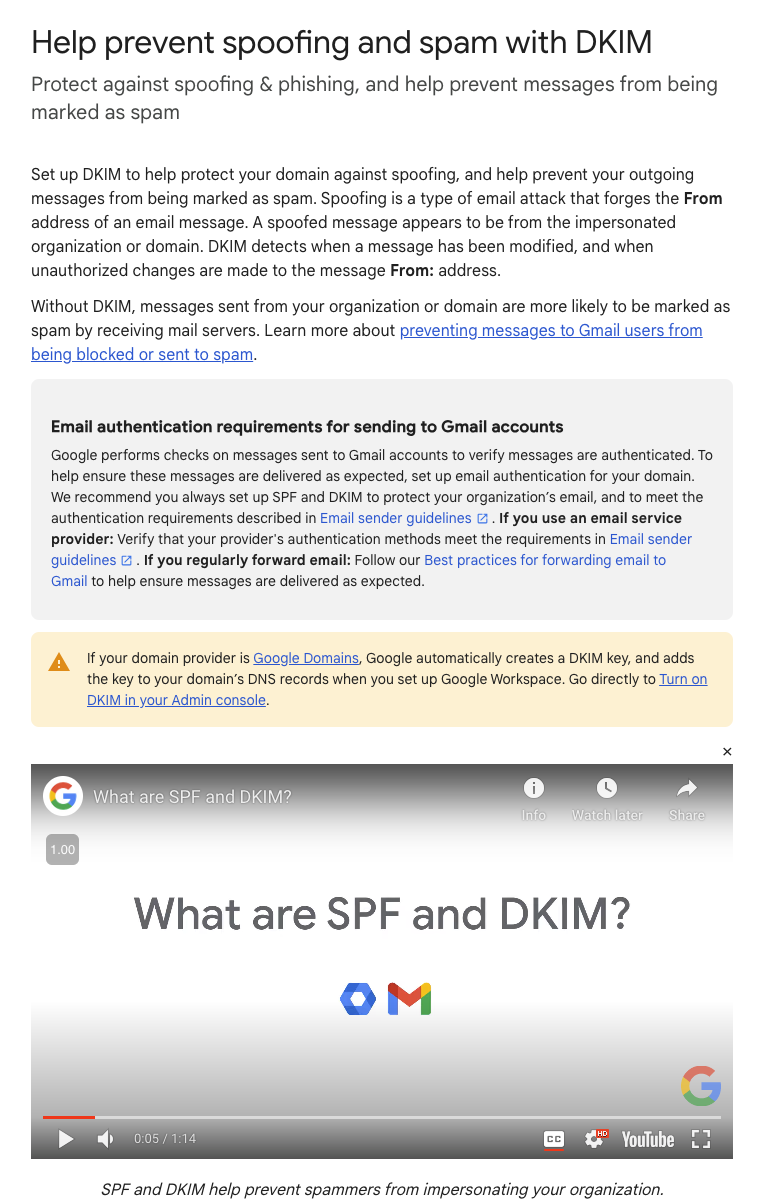
Table of Contents
SPF records
An SPF record is a DNS record that tells the internet what servers or systems are allowed to send email on your behalf. At a minimum your SPF record will need to include your email hosting and your web hosting. Any other systems sending email on your behalf, like a sales CRM or ticket system, will also need to be added to your SPF record. If one of the services that sends email for you is not in the record, it is likely that email will be rejected.
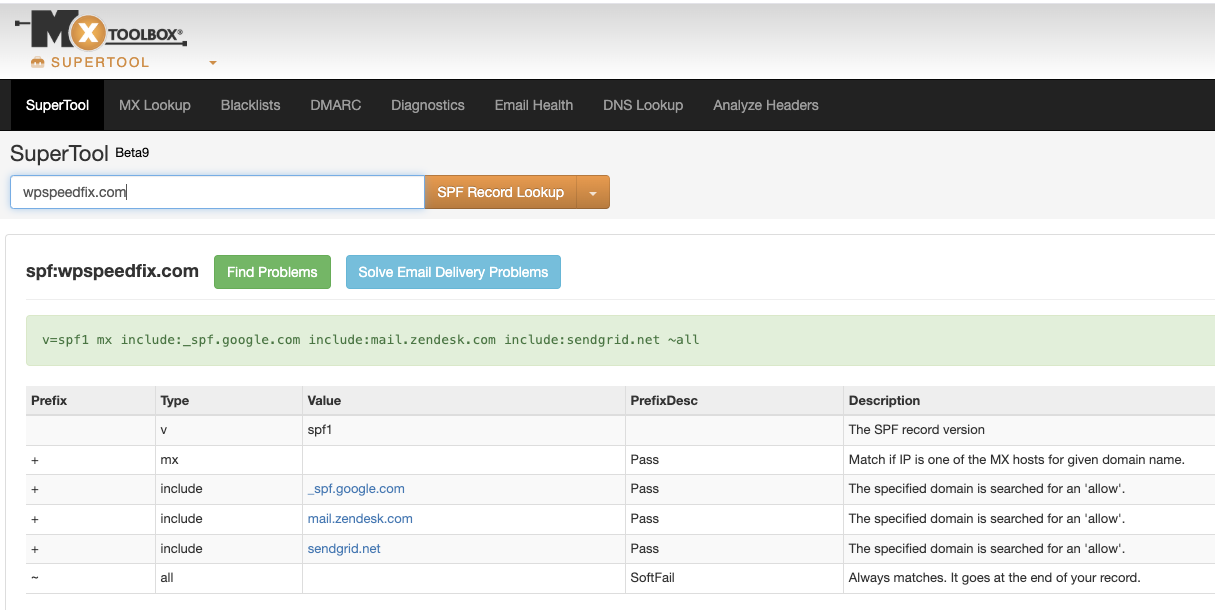
You can check your SPF record using a tool like MX Toolbox: check yours here.
The output will look something like the screenshot below. This is the SPF record for our domain. We send email via Sendgrid, Zendesk and Google Workspace, so these are listed as part of the SPF record.
DKIM records
Ideally you also want DKIM records set up for each of the systems sending email for you. DKIM records help email systems verify that your emails are genuine and authentic and can help stop people sending spam using your domain.
You should be able to find the instructions for setting up SPF and DKIM records for the software that sends email for you by searching in Google. The SPF record will be the same for everyone using that provider, but the DKIM record will be unique for each domain name.
DMARC records
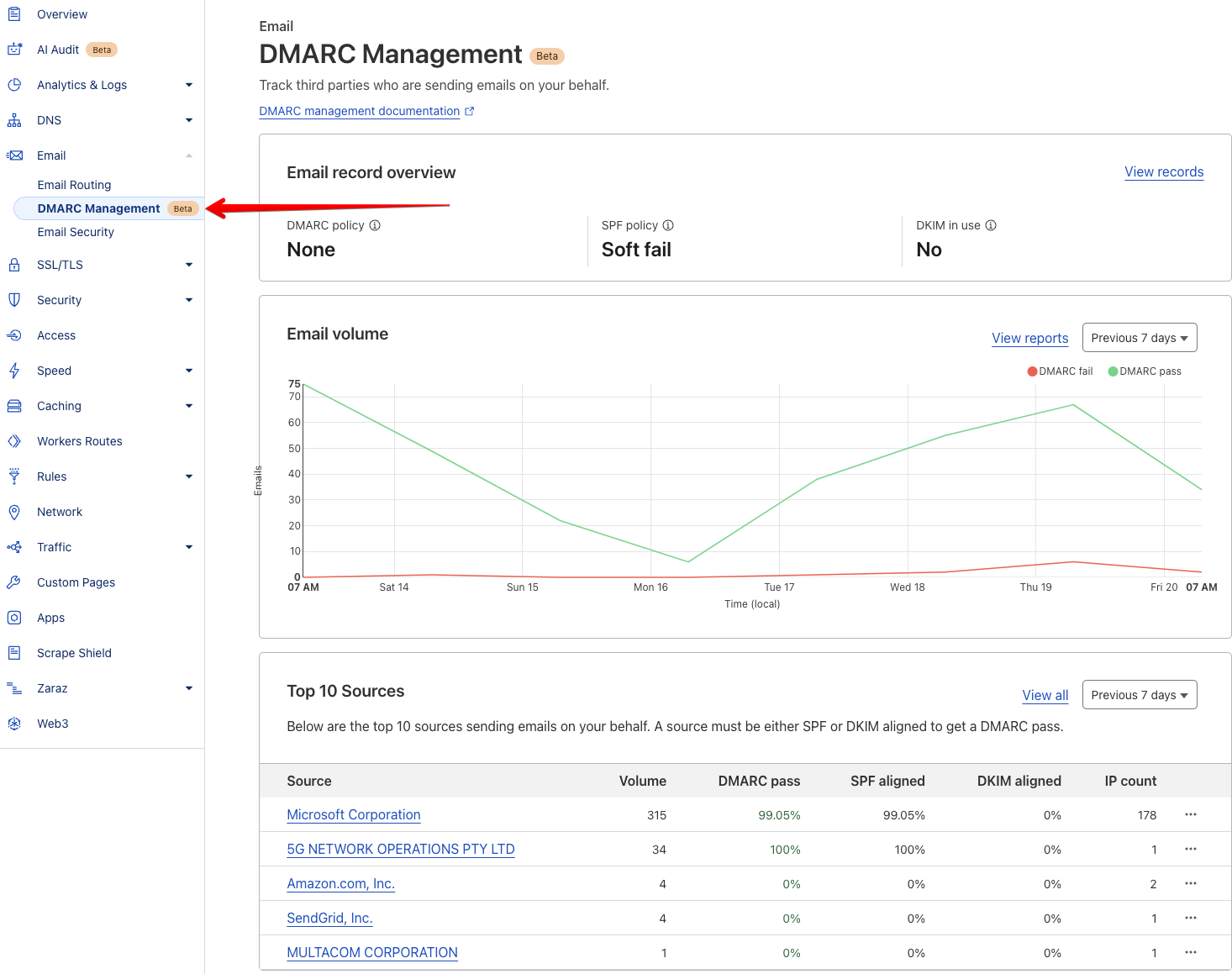
The third record you want is a DMARC record. This record is used in conjunction with software to manage the other two records, and it will report on systems sending email that is failing both of them.
Cloudflare provides a free DMARC management service that is easy to set up. You can find it under the Email menu in Cloudflare, as per the screenshot below. You can see in the screenshot that Amazon, Sendgrid and Multacom Corporation sent emails for this domain and had a 0% pass rate, which indicates that something is up. Either the records need updating or someone is sending spam from these systems using this domain name.
Need a hand setting this up?
If you are on one of our hosting and maintenance plans, our team can set this up for you, just email support@wpspeedfix.com. If you are not on a maintenance plan, our team can help if you pick up a Quickfix service.
To set this up we will need to know who your email is hosted with, a list of all the services sending email on your behalf, and because we use the free DMARC management tools in Cloudflare, access to your Cloudflare account.
These three records take an hour or so to set up properly and they are the difference between your quotes, invoices and order confirmations landing in the inbox or disappearing into spam. If you have not checked yours recently, run the MX Toolbox check above and fix whatever is missing.
This article was first sent to the WP Speed Fix email list. Subscribe here to get future articles by email.